


-
Recently Browsing 0 members
- No registered users viewing this page.
-
On this day in history
-
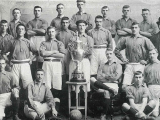
 The first title 1901 – We won 1-0 at West Bromwich Albion to clinch our first League title, with inside-right Johnny Walker on target in the first half of our final game of the season against the already-relegated Baggies. A fife and drum band playing “The Conquering Hero” welcomed the team back into Liverpool. The plan was to lift Club Secretary Tom Watson shoulder high in celebration, but as the Liverpool Echo said, “No arms were long enough to grip his girth.” However, our two inter-waRead more...
-
Recommended Posts
Create an account or sign in to comment
You need to be a member in order to leave a comment
Create an account
Sign up for a new account in our community. It's easy!
Register a new accountSign in
Already have an account? Sign in here.
Sign In Now